





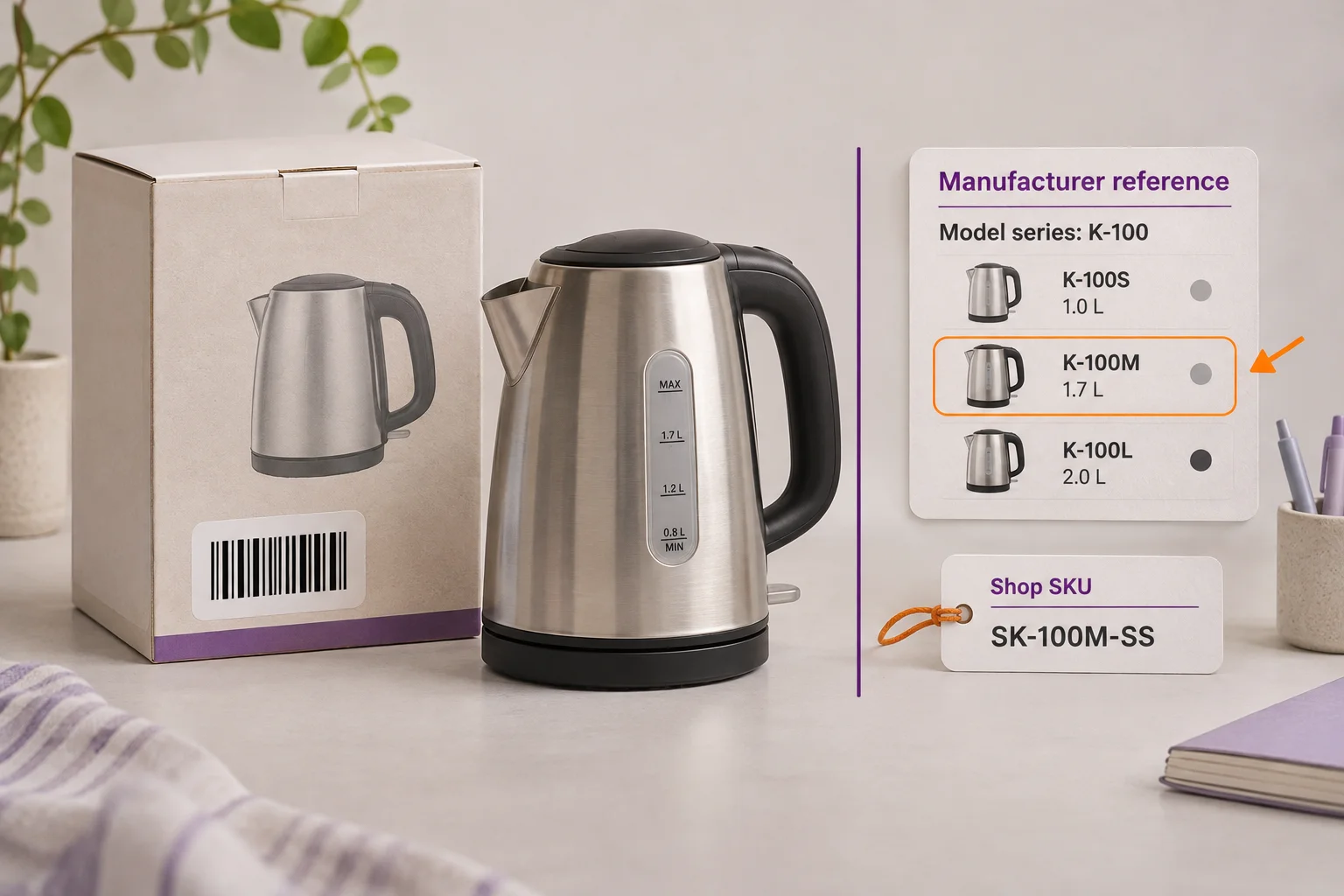

GTIN, MPN and brand help Merchant Center identify the exact product you sell. They are different from the ID you use to manage an offer in your own catalogue. Accurate identifiers connect an offer to the right manufactured item and variant.
Start with the product's packaging or manufacturer records. Do not invent a missing number or borrow one from a similar-looking item.
Separate Product Identity From Offer ID
| Field | Purpose | Where to verify it |
|---|---|---|
gtin | Global trade item number, such as an assigned EAN or UPC | The exact product's packaging or manufacturer data |
mpn | Manufacturer part number | The manufacturer's product or part record |
brand | The product's actual brand | Branding associated with that product |
id | Your stable offer identifier | Your catalogue or source system |
item_group_id | The shared group for related variants | Your parent/group structure |
A shop SKU can be suitable for id. It does not become a GTIN merely because it is unique in that shop. Each submitted variant needs its own offer ID, with the shared group recorded separately.
Check the Exact Manufactured Variant
For a kitchen-appliance retailer, compare the electric kettle's model, capacity, colour and market version with the manufacturer's record. Another capacity in the same series may have a different GTIN.
- Locate the assigned GTIN on packaging or dependable manufacturer data.
- Check the number's length and check digit.
- Confirm it identifies this exact variant.
- Retain leading zeroes when handling the value as text in a spreadsheet.
- Keep the supporting manufacturer reference in the catalogue record.
A number can pass a format check and still belong to the wrong product. Google currently recommends submitting manufacturer-assigned GTINs; the specific issue, category and destination rules still matter. This is not a reason to generate a new number for every item.
For the wider grouping decision, use the product variants guide. Group membership and exact item identity serve different purposes.
Handle Products Without a GTIN
No GTIN does not automatically mean no identifiers exist. Check whether an actual brand and manufacturer part number apply. Resellers should use the manufacturer's MPN rather than assigning their own substitute.
MPN requirements depend on the product: Google's guidance includes exceptions for goods without a clear manufacturer part number and custom-made products. Brand requirements are also conditional. Submit the real applicable values rather than a generic placeholder.
If you manufacture the product and are its only seller without an official brand, Google's brand guidance says to use the store name and your own MPN. That situation should not be handled by automatically declaring that no identifiers exist.
Personalizing an existing manufactured product does not erase its assigned identity. Check the customization guidance instead of removing the original GTIN because the shop adds engraving or another option.
Use Identifier Exists Only When True
The identifier_exists attribute describes whether assigned unique product identifiers exist. Set it to no or false only when you have established that they do not.
“The supplier spreadsheet has no GTIN column” is an information gap, not proof that the product has no assigned identifiers. Ask the manufacturer or supplier before using a false declaration to bypass an issue.
For a handmade item, check the actual manufacturer, brand and identifier situation. Handmade and private-label products are not a single automatic exception that fits every catalogue.
Repair the Source and Recheck
Open Products → Needs attention in Merchant Center and inspect the incorrect-identifier issue. Identify the affected offer and variant, then compare its submitted fields with the manufacturer record.
Correct the system that owns the product data: the shop connector, feed or other original source. Check for manual editor overrides before assuming a new upload will replace the current value.
Reprocess the update through the normal source route and inspect the resulting item status. A corrected identifier does not resolve unrelated price, availability or account-policy issues. The product disapproval guide covers that broader investigation.
Finally, check that the landing page opens the correct option and that its product structured data, where present, describes the same offer. Keep one authoritative product record rather than separate contradictory versions.
Frequently Asked Questions
Is My SKU the Same as a GTIN?
No. A SKU is a store's catalogue code. A GTIN is an assigned trade-item identifier. Use each in its appropriate field.
Can I Set Identifier Exists to False When I Cannot Find the GTIN?
Not just because you cannot find it. Verify whether assigned identifiers exist, including relevant brand and MPN information, before declaring that they do not.
Do All Colours and Sizes Use the Same Identifiers?
Use the identifiers actually assigned to each variant. GTINs can differ, while some apparel sizes may share an MPN. Do not force one rule onto every identifier type.
What Should I Submit for Handmade or Own-Brand Goods?
Follow the actual manufacturer, branding and identifier situation. Where you manufacture and solely sell an unbranded product, Google's guidance calls for the store name and your own MPN rather than a blanket false declaration.